Post the moment.
Not the people.
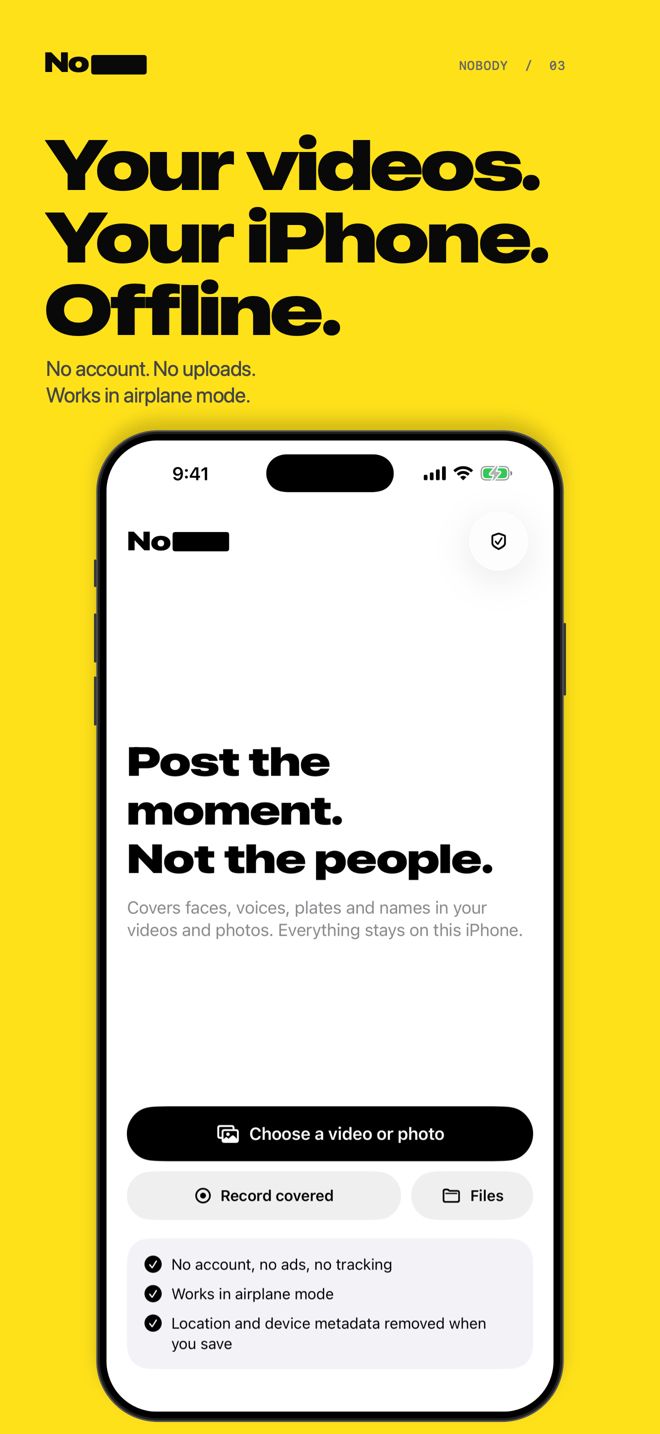
Nobody finds and covers faces in your video or photo before you share. Pick who stays visible. Your photos and videos are processed on your iPhone, without uploading them.
Coming soon to the App Store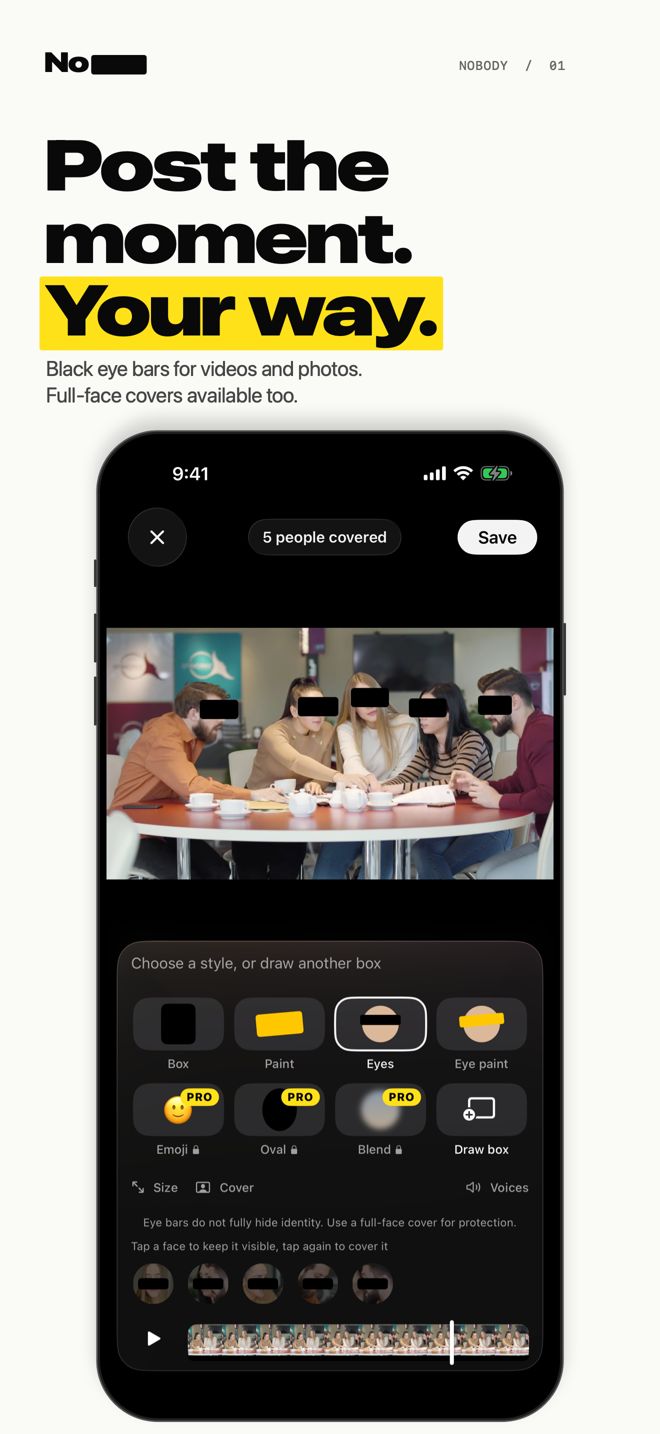
Nobody at a glance
- What it does
- Detects and tracks faces in videos and photos and covers them: solid boxes, black eye bars, paint, emoji, or a blur-style effect.
- Where it runs
- Editing works in airplane mode for files already on your iPhone. Ads, purchases and iCloud downloads use the network.
- Privacy
- No account. Free exports may show a Google ad; Pro removes ads. Your media stays on your iPhone.
- Metadata
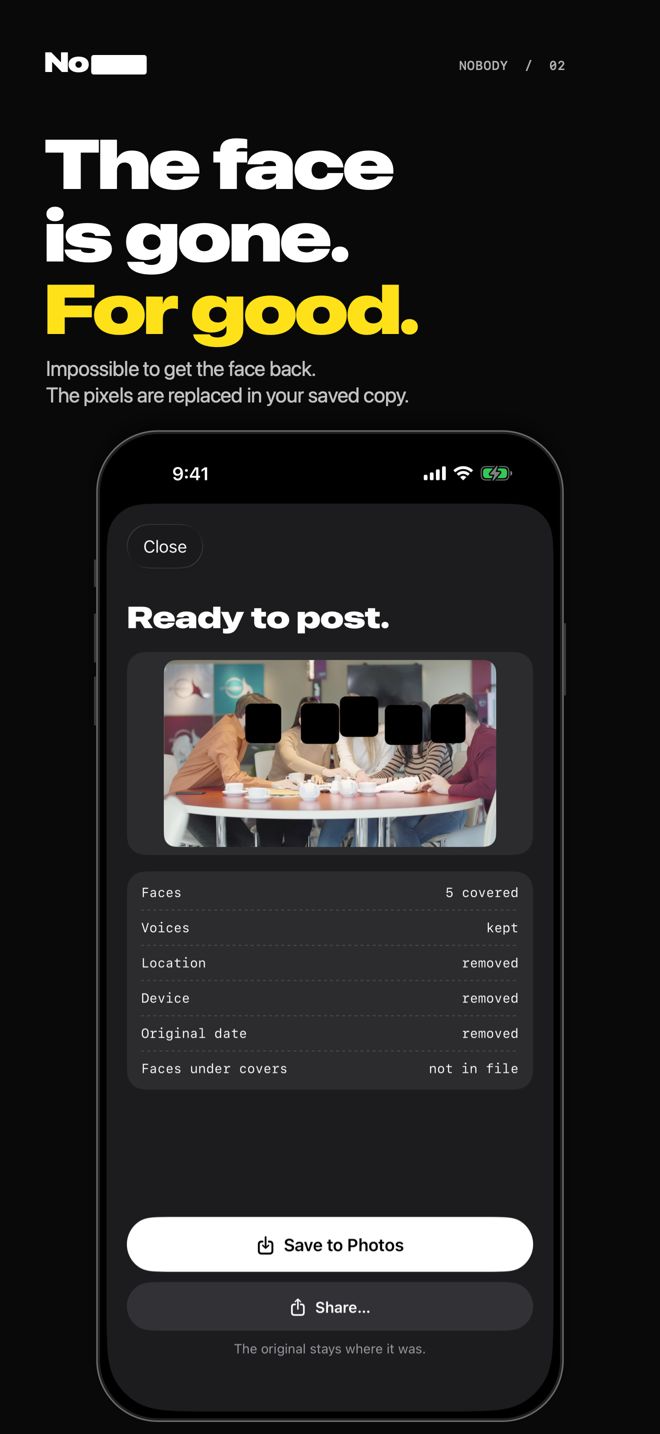
- Exports remove the original location (GPS), device and creation-date metadata.
- Price
- Free, without watermark. Nobody Pro is a single one-time purchase (no subscription).
- Requirements
- iPhone with iOS 18 or later. English and French.
What you can do
Cover detected faces automatically
Faces are found and followed through the whole video, including many people seen in profile or partly hidden.
Keep chosen people visible
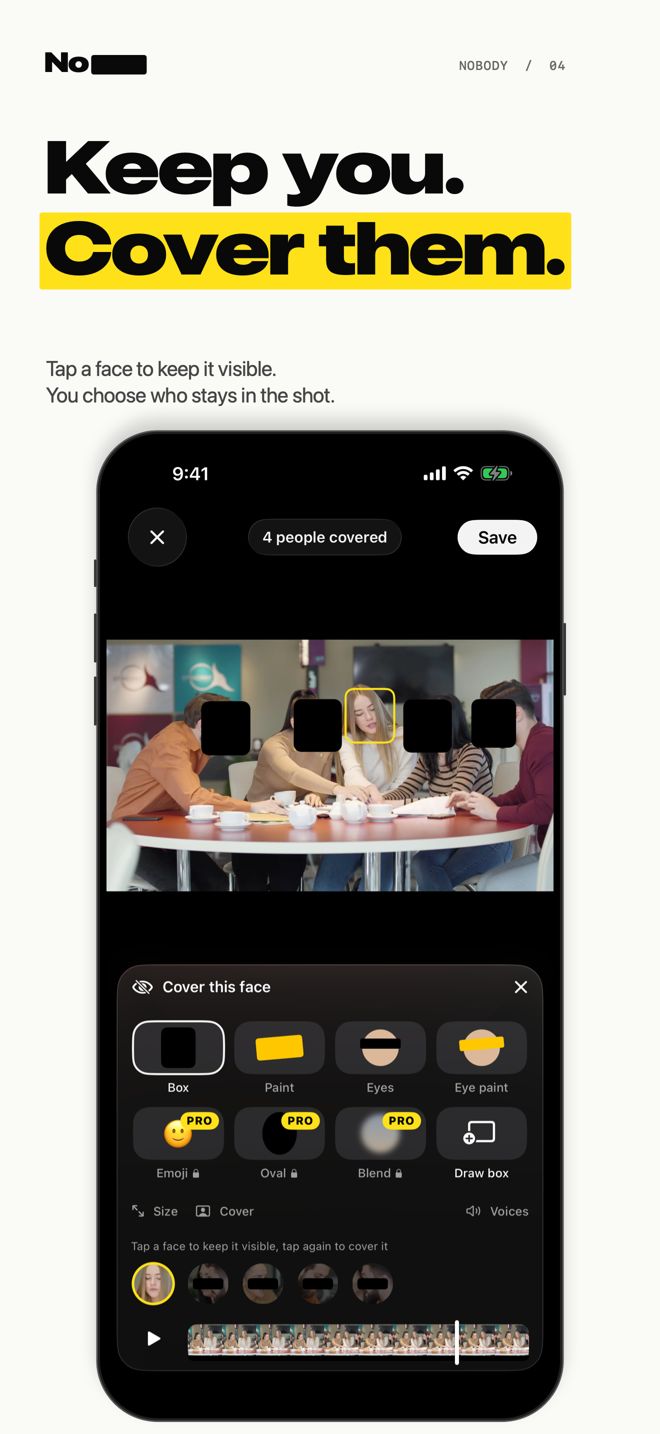
Tap a person to leave them uncovered and hide everyone else. Tap again to cover them.
Black eye bars or full covers
Choose a solid box, a black bar over the eyes, a paint stroke, emoji, or the Blend effect (Pro).
Add your own boxes
Draw a box over anything the app missed, a tattoo, a badge, a screen. It follows the subject; move, resize or pin it.
Record with faces already covered
Film with Nobody's camera: faces are covered before the video is written, so an uncovered copy is never saved.
Remove location and voices
Exports drop location, device and date metadata. Mute the sound, or disguise voices with Pro.
Text and licence plates (Pro)
Cover signs, name badges, screens and number plates.
Open from any app
Use Photos, Files, or the Share sheet from WhatsApp, Telegram and other apps.
How it works
- Choose a video or photo, or record with Nobody's camera.
- Nobody scans the file on your iPhone and covers the faces it finds.
- Check the result, keep the people you want visible, add boxes if needed.
- Save a new copy to Photos or share it. The original stays untouched.
Who uses it
Parents and teachers
Share the school play or the birthday party without other children's faces.
Creators filming in public
Keep yourself on screen and cover the bystanders.
Protests and journalism
Hide the faces of people around you before posting.
Work footage
Dashcam clips, property visits, events: faces, badges and plates.
Price
Free
Cover faces, add black eye bars, draw boxes, mute audio and export up to 1080p. No watermark. A Google ad may appear after export.
Nobody Pro, one purchase
Text and licence plates, voice disguise, oval and emoji covers, the Blend effect, and full-resolution export up to 4K. No ads or subscription.
Questions
How do I hide or blur faces in a video on iPhone?
Open Nobody, choose the video and wait for the scan: Nobody covers the faces it detects. Check the result, tap anyone you want to keep visible, then tap Save. The covered copy goes to Photos and the original is not changed.
Is there a face-blurring app that does not upload my video?
Yes. Nobody processes videos and photos entirely on the iPhone with Apple's on-device frameworks. Editing and saving local files work in airplane mode. Ads, purchases and iCloud downloads use the network.
Can I hide faces in a video for free, without a watermark?
Yes. Covering faces, black eye bars, keeping people visible, drawing your own boxes and saving up to 1080p are free, with no watermark. Nobody Pro is an optional one-time purchase.
Can I keep one person visible and hide everyone else?
Yes. After the scan, each person appears as a chip. Tap a face to keep that person uncovered; the other detected faces stay covered.
Can I put a black bar over the eyes instead of covering the whole face?
Yes, the Eyes style draws a black bar over each person's eyes. It is a look rather than full anonymity: people who know the person may still recognise them. Use a full cover when identity matters.
Is a blur safe, or can it be undone?
A strong blur or mosaic can sometimes be partly reversed, so Nobody's default is a solid cover that keeps no detail of the face. Nobody's covers, including its Blend effect, are drawn without using the pixels of the covered face.
Does Nobody remove the location from my video or photo?
Yes. Every export is a new file without the original location (GPS), device model or original creation date. The save screen lists what was removed.
Can I cover licence plates, name badges or text?
Yes, with Nobody Pro: text and number plates are found and covered. Anything else can be covered for free by drawing a box, which follows the subject through the video.
Can I hide faces while I am filming?
Yes. Record covered uses the camera and covers faces before frames are written, so no uncovered version of the video is ever saved.
Can I use it with videos from WhatsApp, Telegram or Files?
Yes. Use the Share button in those apps and choose Nobody, or open the file from Files.
Does it hide voices?
You can remove the sound entirely for free. Voice disguise (Pro) lowers every voice; a determined person could partly reverse a pitch change, so remove the sound when it matters.
What can it miss?
Face detection can miss very small, turned-away or hidden faces. Watch the result before posting; the timeline marks moments worth a second look, and you can add boxes by hand. Clothes, places and voices can identify someone too.
Which iPhones does it work on?
iPhones running iOS 18 or later. The app is in English and French.